Want to make your trip to Japan run much more smoothly? These are the travel apps that I recommend you download before even stepping on the plane.
I’ve been to Japan a half dozen times now, and here’s what nobody tells you: The train stations are enormous, the signs are not always in English, and the subway map looks like a plate of glowing spaghetti that someone designed specifically to test your patience. None of that means you are not capable of handling it. It just means you need the right tools in your pocket before you land.
Some help with navigation. Some help with planning. Some simply remove stress so you can actually enjoy your trip instead of spending it confused in a train station.
Need help planning? Websites and guides I recommend to help with your trip to Japan.
Suica
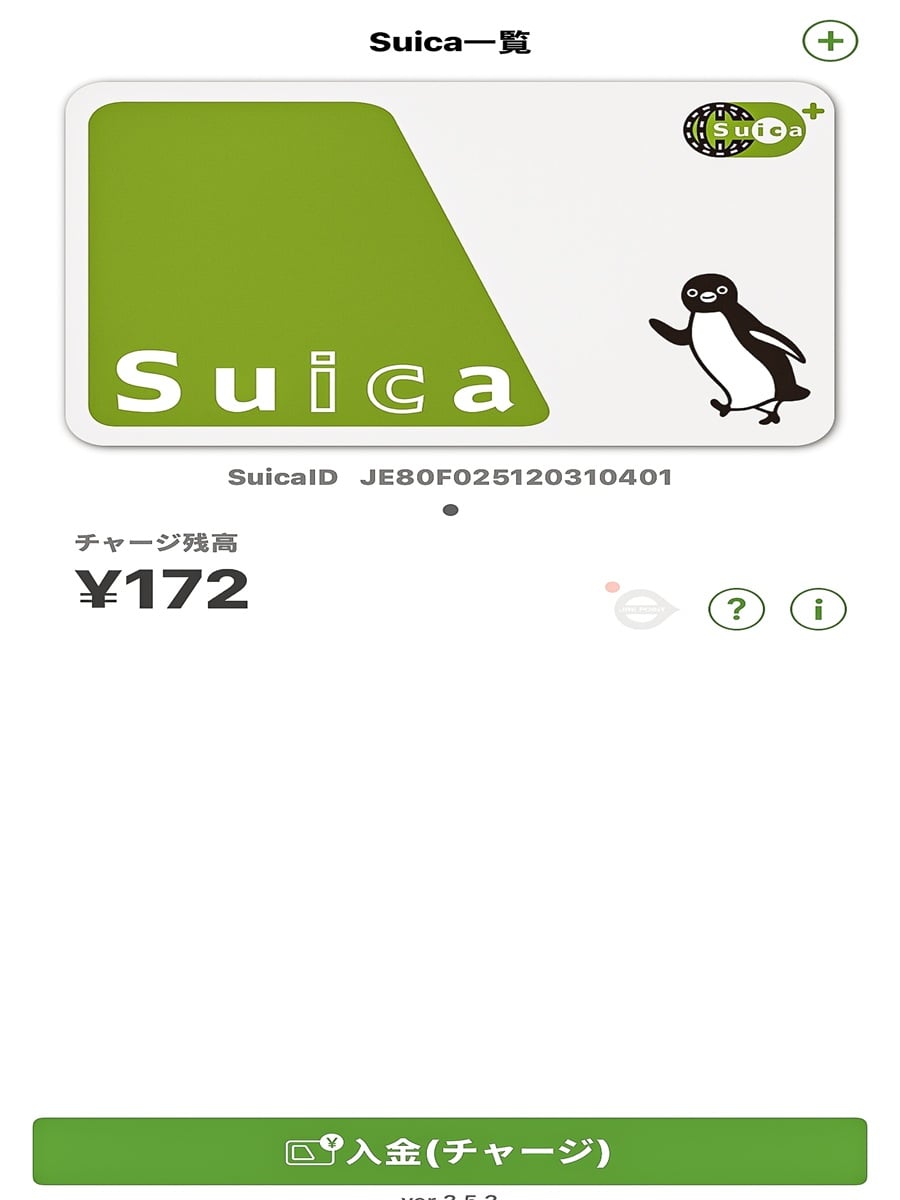
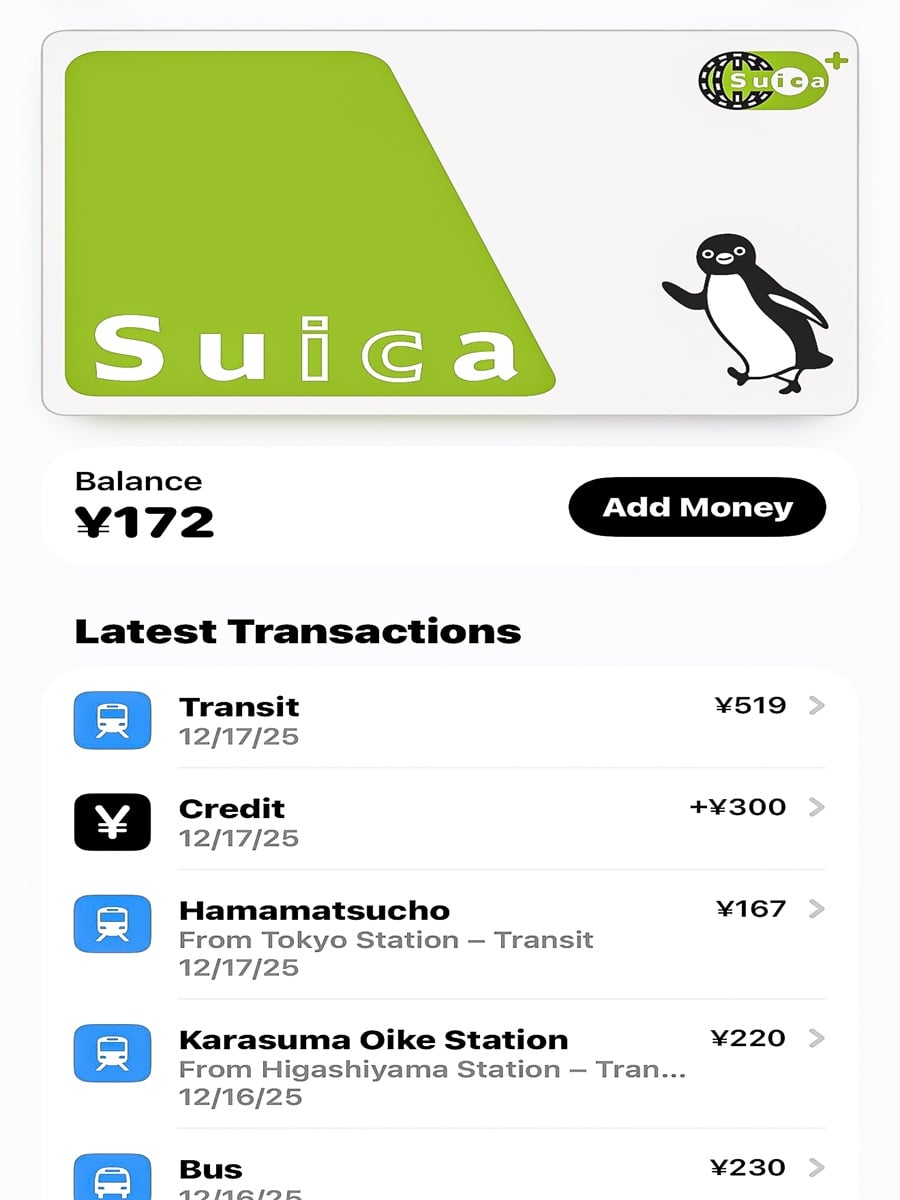
Suica is a prepaid IC card that you load with money and then tap at train gates, buses, vending machines, and even some restaurants and shops. You do not stand in line buying paper tickets for every single ride. You just tap and walk through like you have lived in Tokyo your whole life.
Download Suica app on your phone and then add it to your Apple Wallet through the app. You can add it directly to your wallet without downloading the app, but when I tried that, I wasn’t able to load money and kept getting errors. Though, if you like, you can try that first with these wallet instructions.
Once it’s set up, it’s incredibly easy. You can load money with Apple Pay and to use it you just tap your phone at subway gates, buses, vending machines, and even some shops. You don’t even need to open the app. For detailed instructions, see the JR-East website.
Also worth knowing is that your card will work across Tokyo, Kyoto, and Osaka, so you only need to set it up once.
Go Taxi
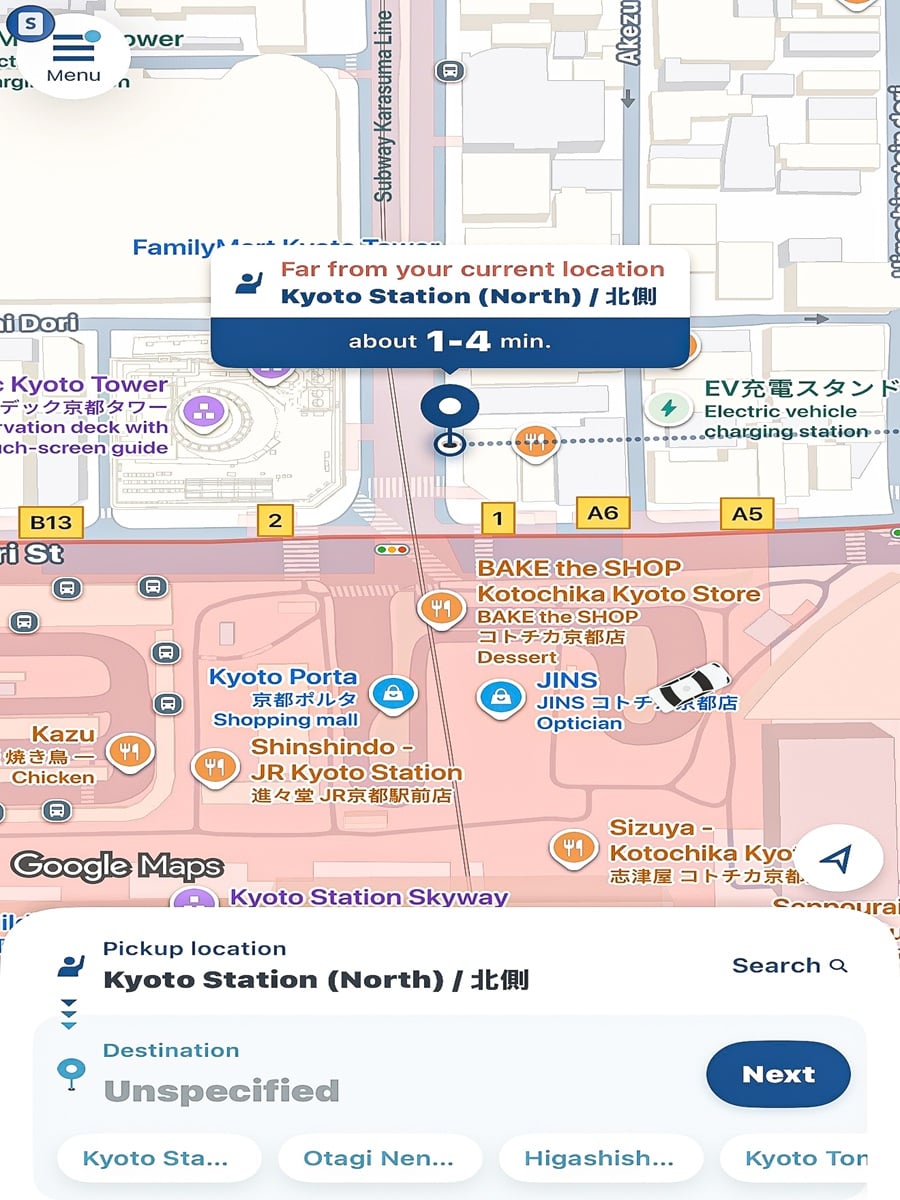
Japan’s public transportation system is incredible, but there will be moments when you simply do not want to drag your suitcase up four flights of subway stairs. That is where GO Taxi comes in. It works like Japan’s version of Uber, except it connects you with licensed taxis instead of private drivers, and you can see your exact fare before you ever get in the car.
I used it the moment I landed at Haneda Airport on one trip, because after a long flight I did not have the energy left to decode train transfers. It was one of the smartest decisions of that entire day. You enter your destination, see the fare estimate, and pay right through the app, so there is no fumbling with cash or trying to explain an address to a driver in a language you do not speak.
Quick tip: taxi doors open and close automatically, so don’t try to do it yourself. I may have made that mistake once or twice.
Klook
Klook is the app to use to book theme park passes, walking tours, cooking classes and skip the line attraction tickets all over Japan, and it will become one of your best friends on the road. The reason I love it so much is not just convenience, it is the feeling of relief that comes from already having your tickets sorted before you arrive somewhere. The app makes everything easier, your tickets stay organized in one place, and you can pull them up instantly from your phone.
Note: this app works similar to Viator (which I have used around the world and also used to book a couple activities in Japan), but Klook is geared towards the Asia-Pacific region. So, I actually recommend having both options.
Google Translate
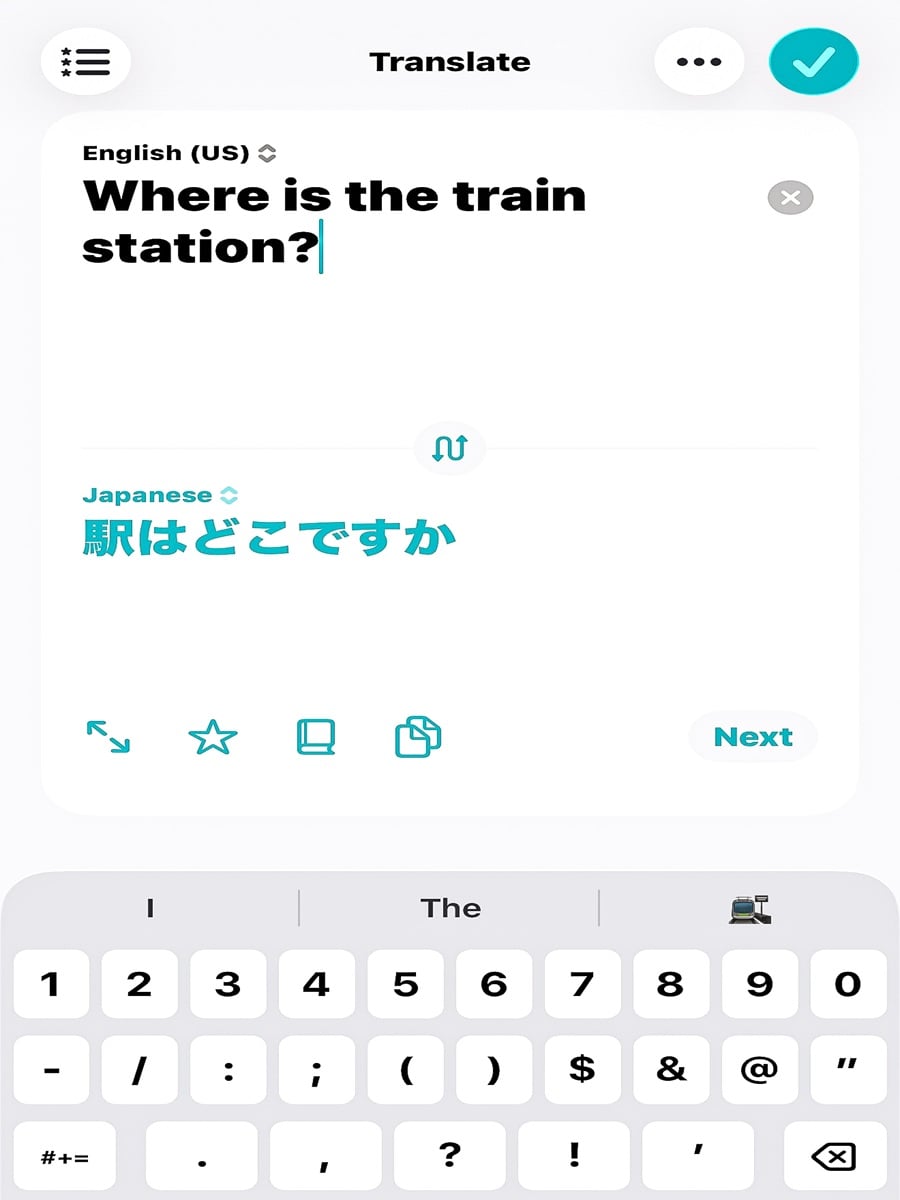
I genuinely do not know how travelers managed before translation apps existed. Plenty of people in Japan speak some English, but plenty do not, and menus, signs, and even your hotel thermostat may only be written in Japanese. Google Translate has saved me more times than I can count, and the camera feature alone is worth downloading the app for.
You simply point your phone at a menu, a train sign, or a confusing button on a vending machine, and suddenly you have context. Is it perfect? No. I have had it spit out a translation that made absolutely no sense at all. But it works well enough, often enough, to dramatically lower your stress level, and that matters more than perfection ever will.
You can also type or speak into the app to communicate with hotel staff, restaurant servers, or taxi drivers, which makes small talk possible even with a language barrier.
Google Maps
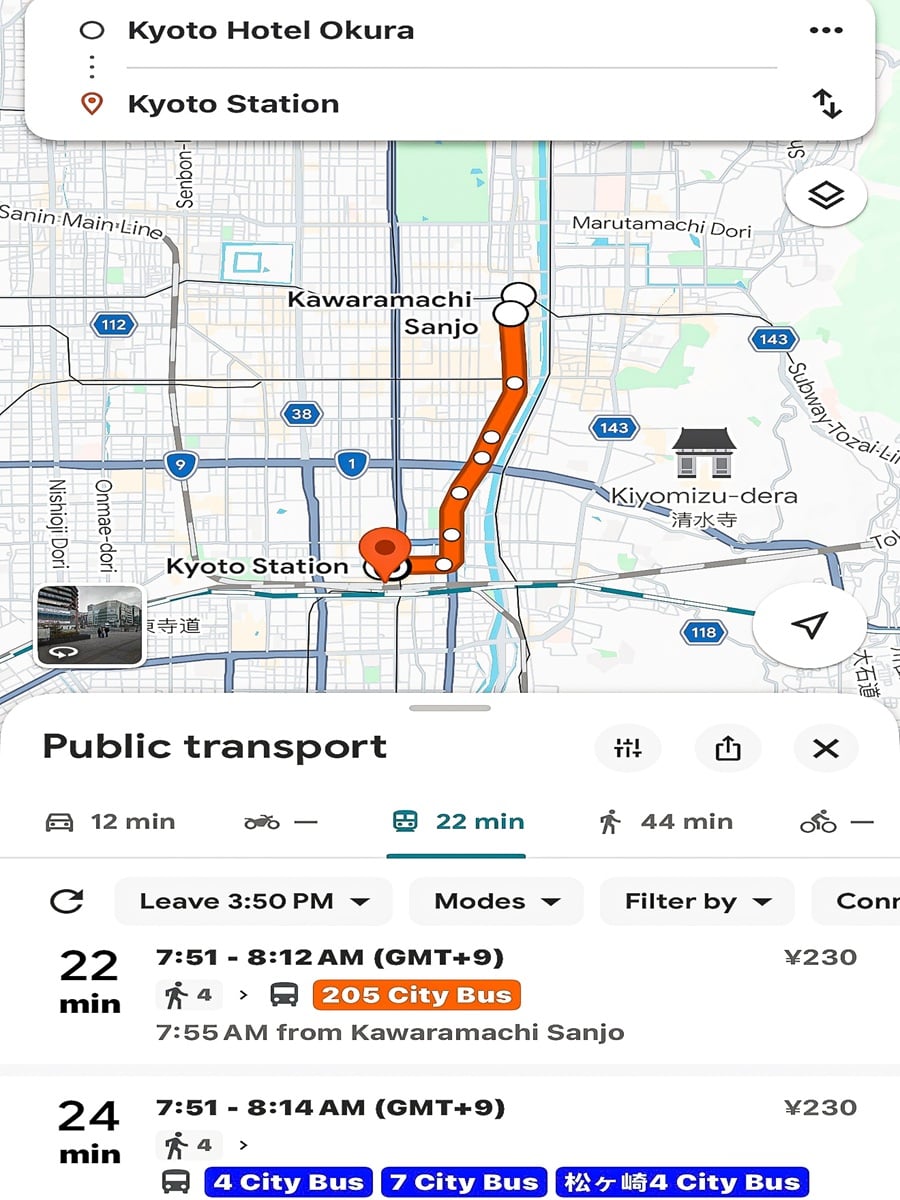
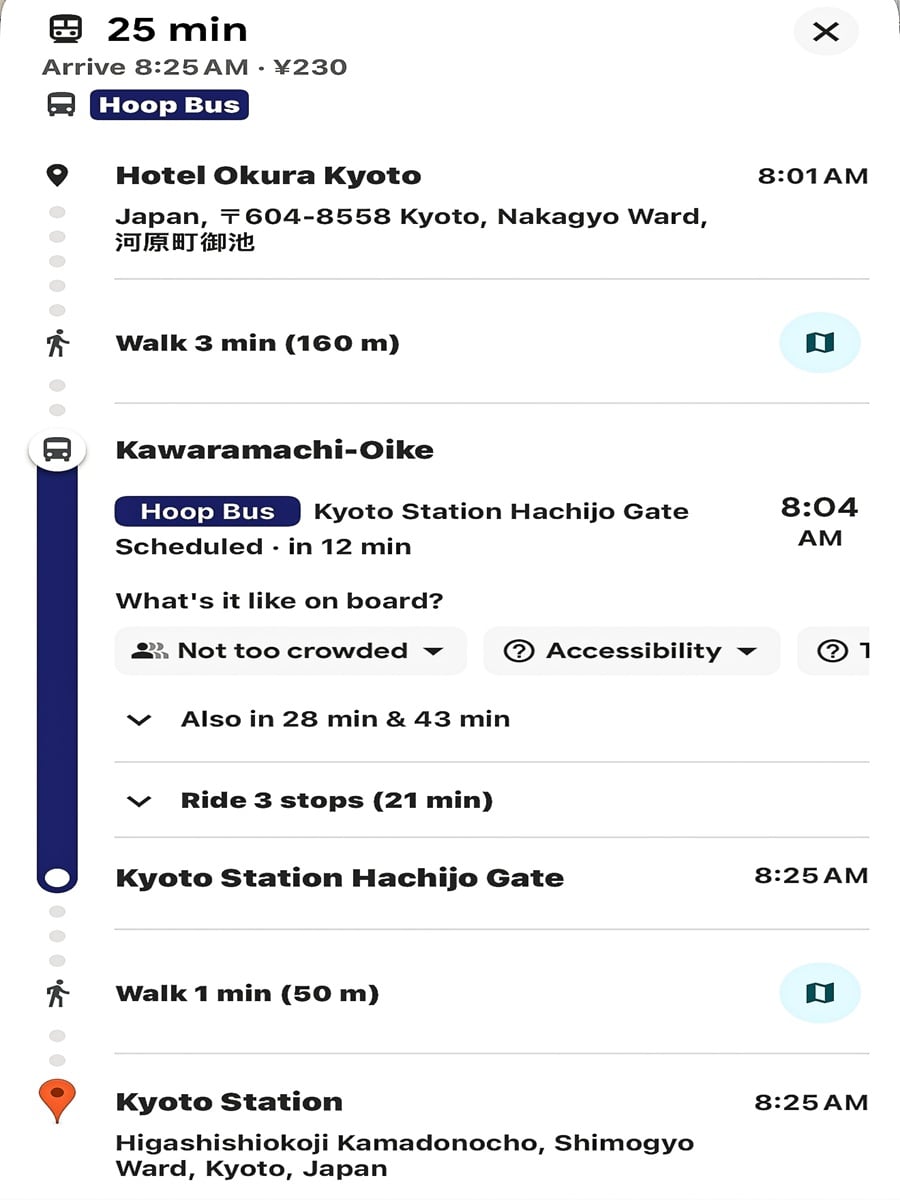
If you only use one app in Japan for navigation, make it this one. Google Maps tells you exactly which train or bus to take, how long each leg of your journey will be, and even which platform to stand on. It has never failed me, whether I was navigating Tokyo’s endless streets or finding my way to a remote temple in Kyoto.
A few real lessons I learned the hard way made a huge difference for me:
- If you are traveling with luggage, choose the wheelchair accessible route option in the app. It will guide you toward elevators instead of endless flights of stairs.
- Also try to avoid rush hour whenever you have a large suitcase, because the trains get tight and there is simply nowhere to put a large bag. If you must, place your luggage near the train doors where there’s usually more room.
- If you get on the wrong train or bus, it is not a crisis. Just get off at the next stop and figure it out from there. I cannot tell you how many times I quietly stepped to the side of a station platform, took a breath, and said out loud, okay, let’s try this again.
Tabelog
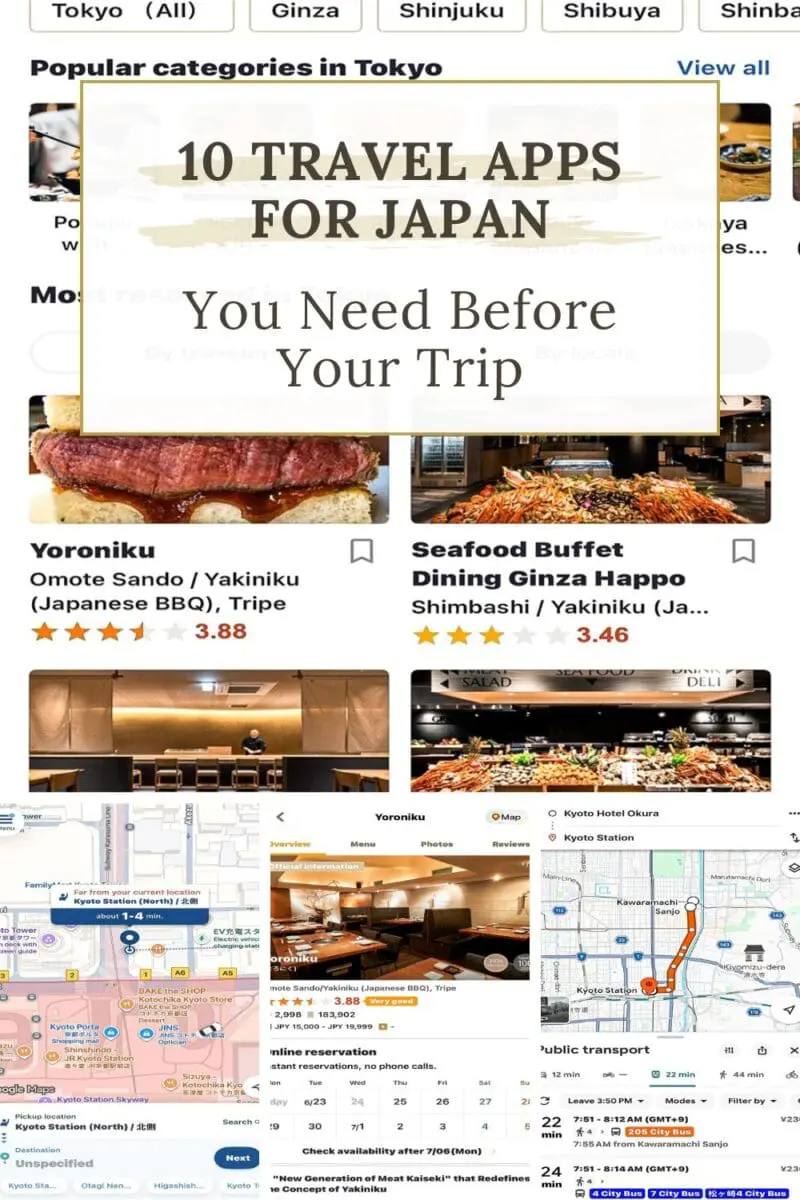
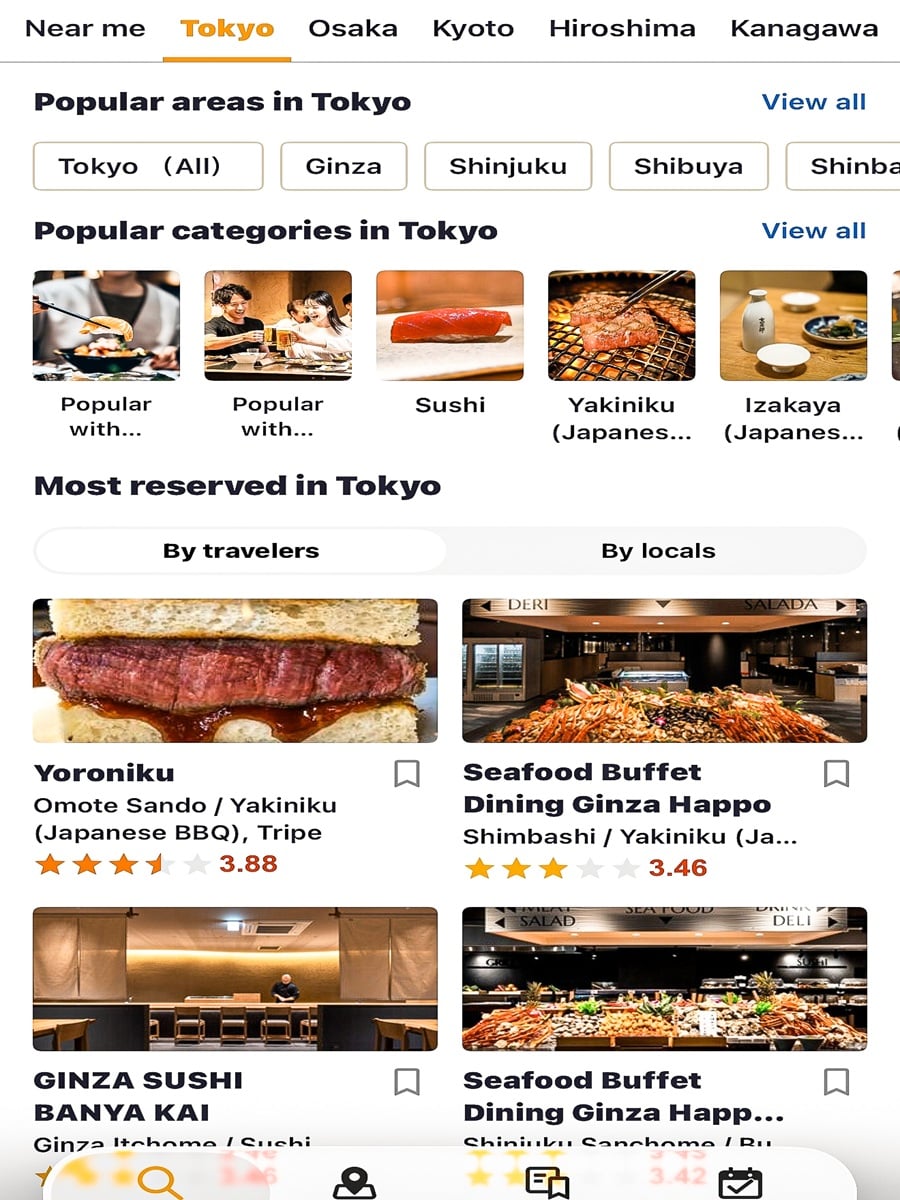
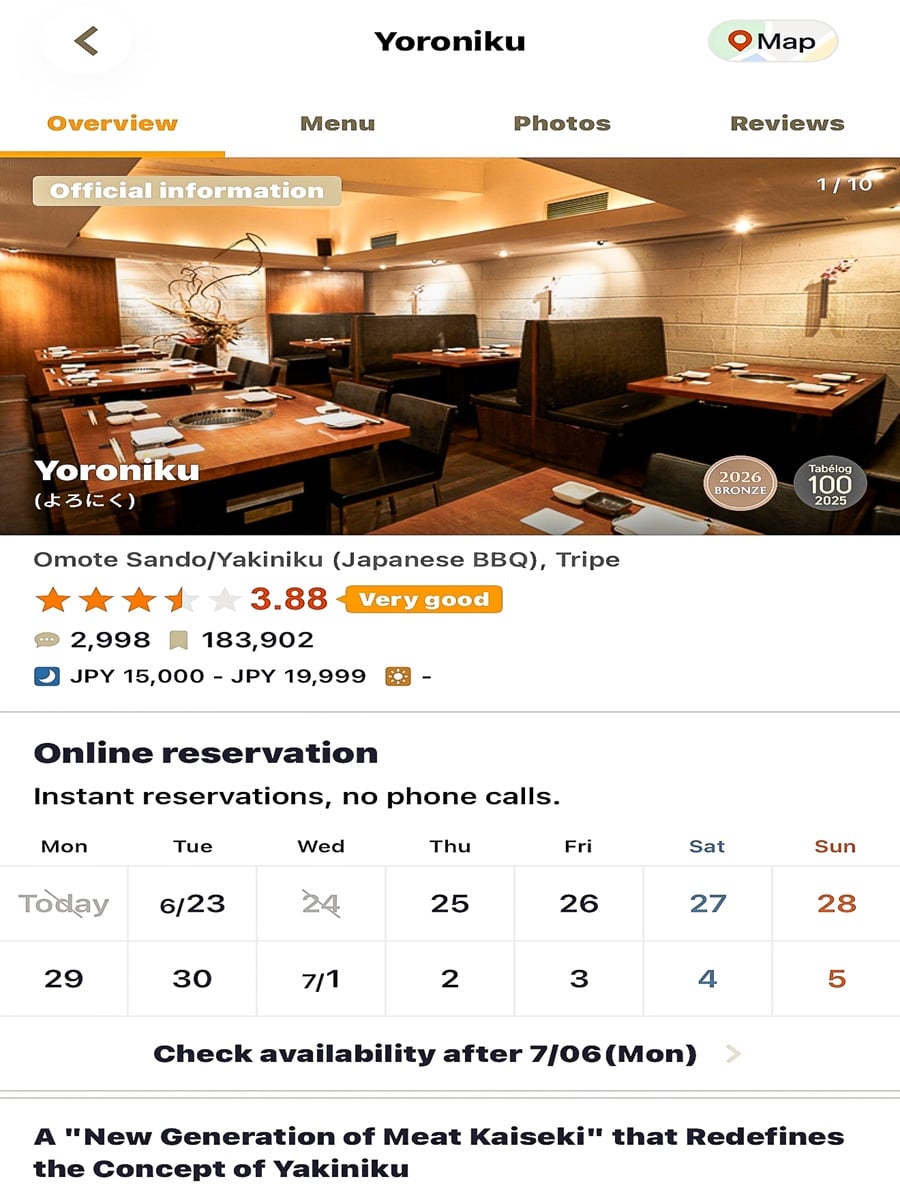
Skip Yelp and Resy for researching and reserving restaurants while you are in Japan and download Tabelog instead. Locals use this app, and once you understand how the rating system works, it becomes one of the most useful tools you will have for finding incredible food.
Here is the important part. Japanese restaurant ratings are far stricter than what you are used to back home. A 3.5 on Tabelog is actually quite good. A 3.8 is exceptional. Anything close to a 4.0 is basically legendary in food terms. My strategy is to use Google Maps to find restaurants nearby, then double check the rating on Tabelog before I commit to a spot.
Tabelog also allows you to make reservations directly, which can help you secure a table at popular spots.
If you are vegetarian or vegan, plant based dining can take a little more planning in Japan, so I would also recommend downloading HappyCow. It has a map feature that sorts restaurants into vegetarian, vegan, and places with options, along with real reviews from other travelers who have eaten there.
SmartEX app
Riding the Shinkansen, Japan’s bullet train, is one of those true bucket list travel experiences, and SmartEX is the app that makes booking it dramatically easier. Yes, you can buy tickets at the station instead, but I have learned over the years that my travel days go a lot smoother when I remove as many figure-it-out on the fly moments as possible. Booking through SmartEX means I already know my seat, my train, and my platform before I ever set foot in the station.
A few tips that made a real difference for me:
- If your luggage is over 160 centimeters, reserve a seat with extra luggage space, typically the back row since it has a storage room directly behind it. Those seats go quickly, so book early if you can.
- Arrive at the station 20 to 30 minutes early. Stations like Tokyo and Kyoto are efficient, but they are also a maze the first time through.
- Follow the signs marked Shinkansen, and look for your train’s name, like Hikari, Nozomi, or Kodama, along with its number.
- If it’s a longer train ride, grab a bento box or other snack at the station prior to boarding.
- If you’re heading from Tokyo to Kyoto and you want a Mount Fuji view, choose seats D or E in either direction, since on a clear day you might catch a glimpse of it.
ChatGPT
I know some travelers feel skeptical about using AI on a trip, but honestly, ChatGPT has become one of my favorite modern travel tools, especially with its voice mode turned on.
On one of my recent trips, I used it almost like a personal tour guide. I would ask questions out loud while wandering through temples and historic districts, and it would explain the history or cultural significance right there in the moment. At one castle in Kyoto, it even reminded me to remove my shoes before entering certain sections, then explained that the floors squeaked on purpose, since they were designed centuries ago to alert guards to anyone walking through at night.
I have also used it to plan flexible walking, to translate more natural sounding Japanese phrases than a standard translation app offers, and to understand shrine etiquette before I accidentally did something disrespectful without realizing it.
A few ways to use it well:
- Turn on voice mode so you can ask questions hands free while you are walking and exploring.
- Ask it to build a walking route based on the specific stops you want to make for the day.
- Use it to double check polite or natural phrasing in Japanese before you try to use it with a local.
Airalo
If you have ever landed in a foreign country and immediately started hunting for an airport SIM card kiosk while completely exhausted and disoriented, Airalo is going to feel like a small miracle. It is an eSIM app that lets you install mobile data directly onto your phone before you ever leave home .You download the app, choose a data plan for Japan, and install the eSIM profile while you are still at home with reliable WiFi. The moment your plane lands, your phone connects to a local network automatically. There is no swapping a physical SIM card, no standing in an airport line, and no overpriced roaming charges from your home.
Wanderlog
If you are the kind of traveler who opens seventeen browser tabs, screenshots restaurant recommendations, and saves Instagram posts you will absolutely never find again later, Wanderlog is about to become your new best friend.
Japan has so many incredible neighborhoods, temples, and food spots that it is shockingly easy to accidentally schedule yourself in three different parts of Tokyo on the same day without realizing it. Wanderlog lets you build day by day itineraries, pin restaurants and attractions onto an actual map, keep your hotel and train confirmations together, and estimate travel time between stops, all in one place.
Traveling Soon? Use my Favorite Resources for Booking Your Trip!
Book Your Flight
Expedia is my favorite flight search engine, because it checks dozens of airlines so you can easily find the best fare deals. You can also select ‘Watch Prices’ to get an email alert when the prices change.
Book Your Accommodations
I use both Booking.com and Expedia for hotels, because each offers a couple different hotel choices and I like to compare the reviews on each one. If you have a group or are looking for more of a home atmosphere, head over to VRBO or AirBNB that has houses, apartments and even just a room for rent in every price range.
Book Your Rental Car
If love the freedom to explore like I do, driving from place to place is the best option! I always book with RentalCars.com (it’s part of booking.com) for the best prices and top brand options.
Book Some Fun Tours!
Viator and Get Your Guide are my go-to search engines for cool bucket list experiences! Each one can have different tours, so check both—why limit yourself, right?
Don’t Forget Travel Insurance
Travel can be unpredictable. Whether it’s a last-minute cancellation, an injury, or (ugh) theft, things happen. That’s why I recommend never leaving the country without travel insurance. Here are my faves: Safety Wing and World Nomads.
Get Packing & Travel Essentials Ready
Check out the Bucket List Journey Amazon Store to find all my favorite travel essentials. Everything from Packing cubes, to travel adapters and toiletry containers to walking shoes.
Flying International?
Get Cell Data Before You Arrive: I recommend using airalo for international travel. Also, book an airport transfer in advance (I use Kiwi Taxi). Lastly, check travel.state.gov for visa requirements and safety information.
Save this Post to Pinterest